
What is the store setup checklist?
After signing up, complete your business details, estimated product count, and store URL, then upload your logo or submit a generation request. The estimated product count simply assists setup tracking and does not impose a quota. Use the official product intake flow, and review all generated product facts and imagery before publishing.
When is the store considered ready to launch?
Initial launch readiness requires at least one complete active product, saved brand identity, prepared storefront assets, completed onboarding checklist, and catalog/theme review before publishing approval. Product count alone or an uploaded image does not mean the store is open. A visible storefront does not confirm that payment gateways, shipping carriers, or social accounts are connected.
How do I identify launch blockers?
Go to Home and check your store launch status along with the recommended action. It may direct you to profile details, branding assets, pending product intake tasks, design review, or support. Follow the specific pending task. A failed state requires resolving the underlying error, and an unverified state requires confirmation; avoid sending repeated requests to clear the alert.
Do I have to re-run store design to launch an already prepared store?
If a fully approved design exists and is set as the active version, the Home launch flow allows the owner or admin to publish it without running a new design generation. An archived draft cannot be used unless it is currently set as the active design version. Final launch sign-off via WhatsApp remains a distinct step when that service channel is enabled for your account.
Storefront inspection before sharing your link
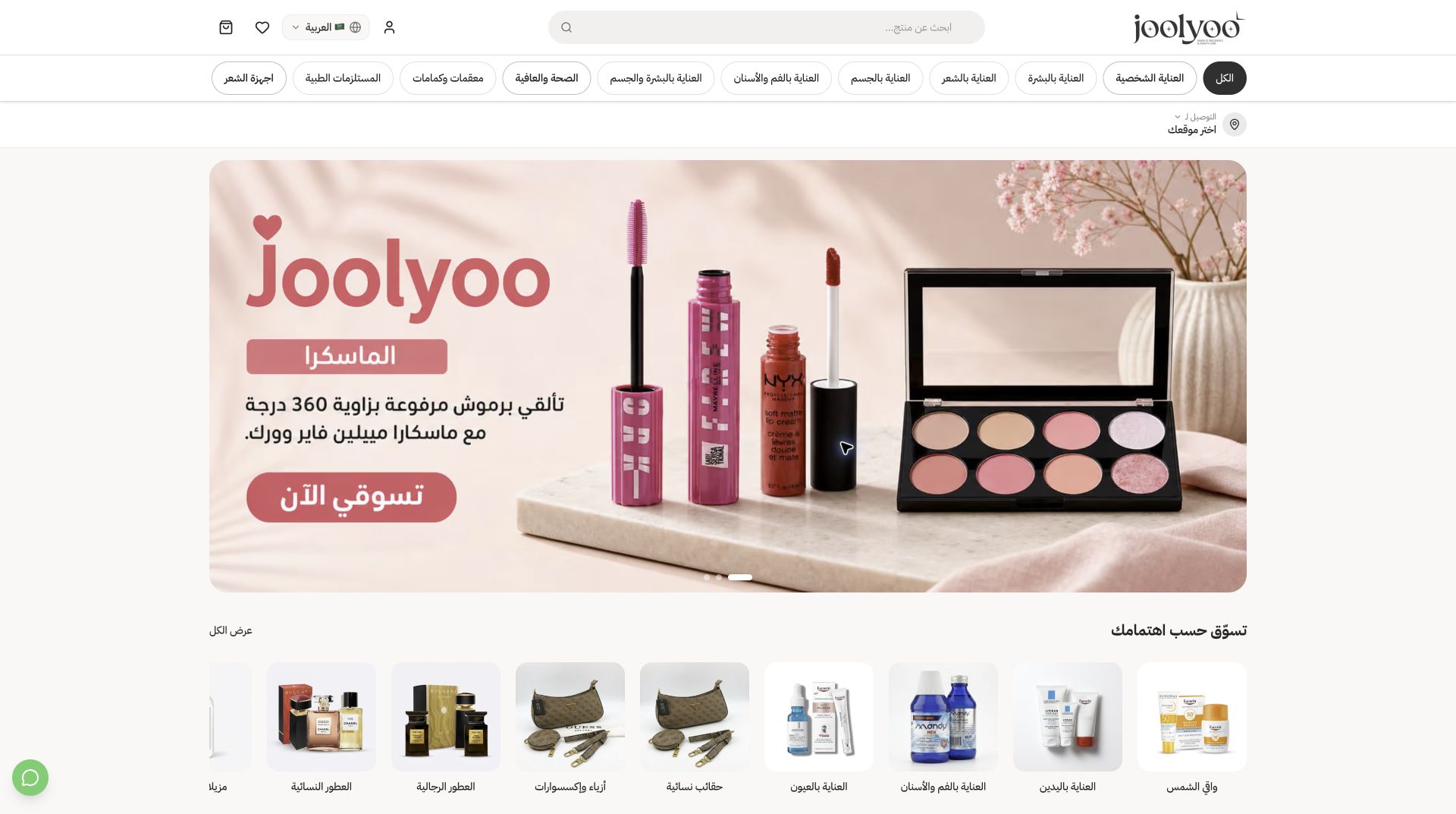
Open your public store link and check the homepage layout, product photos, descriptions, pricing, category navigation, and footer links across mobile and desktop. The Joolyoo store shown is a live example of a published storefront. Test your active payment and shipping workflows before welcoming customers, and track incoming orders via the dashboard.