
Start with a working link and a ready store, and choose a custom domain when you need a permanent address for your brand. An example from the Joolyoo domain and decision steps that preserve email and links before activation.
What Is the Short Answer?
A custom domain gives your store an address you choose and manage the renewal of, while the platform link allows you to start setup and experimentation. Choose the appropriate domain for your business identity before expanding link distribution, but do not postpone reviewing products, payments, and shipping while waiting for the ideal name. Buying the name alone does not create a ready store, nor does it guarantee appearance in Google.
What do you compare before deciding?
Review name clarity, ease of typing, ownership, and renewal cost, not just the first-year price. Verify access to the registrar account and who is responsible for renewals and DNS management. If your domain is used for email or another site, note existing services and records before any change.
If you are preparing a test catalog, you can review the experience on the available link first. If you start printing QR codes or publishing campaigns, choose a stable address and review the effect of changing it on old links. Do not use a name resembling another brand in a way that confuses customers.
What does the real example from Joolyoo show?
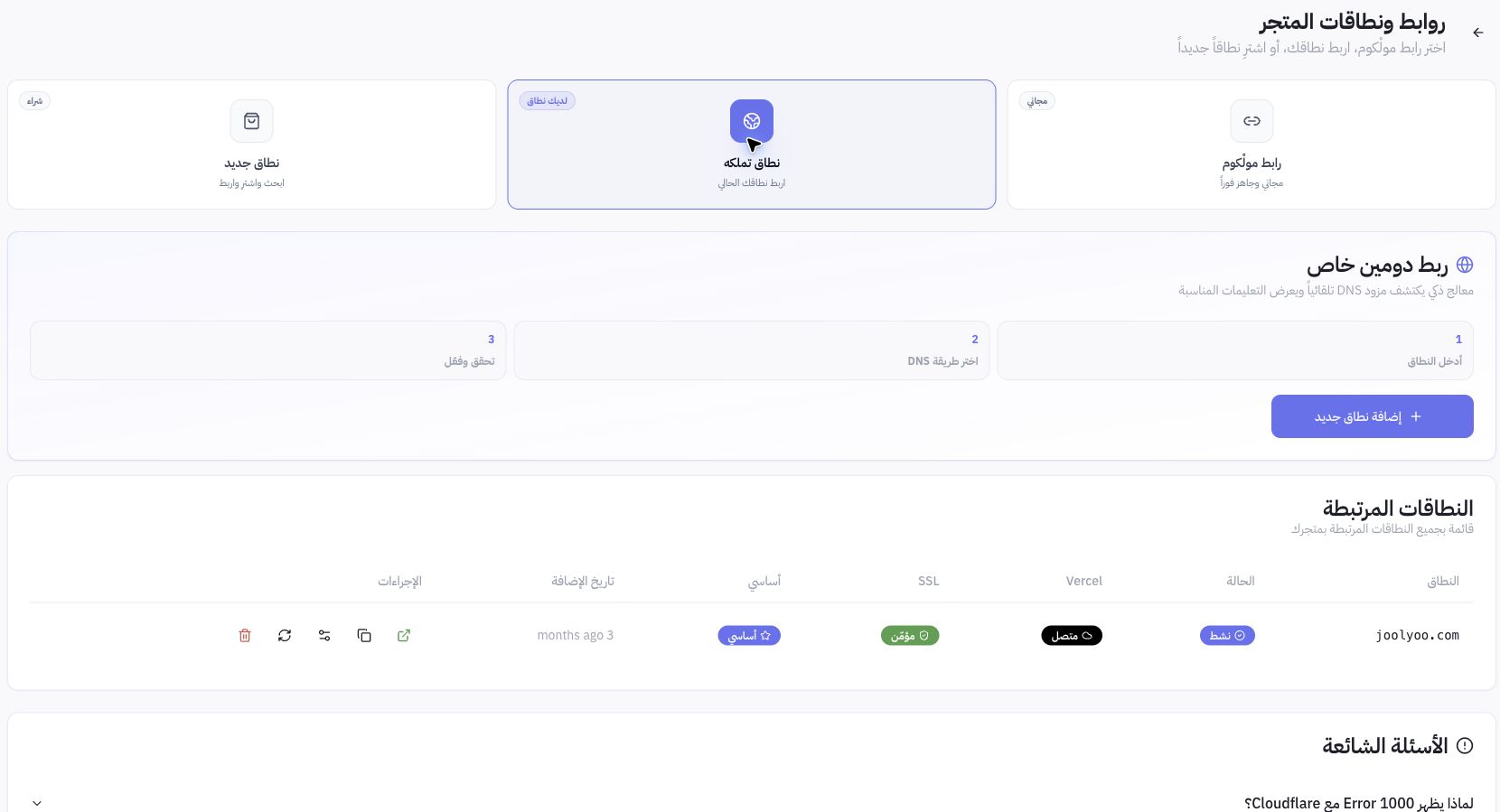
The domains page displayed joolyoo.com with connected, secured, and primary domain statuses. These are statuses of the pilot store's domain at the time of review, not DNS records you copy into your account. We did not change domain records while taking the screenshot, nor do we present it as a new migration test.
How do you connect a domain you own in Mollkom?
- Verify the active store name, then open Settings and Domains.
- Choose the "A domain you own" path if the name is already registered with you, instead of starting to buy another name.
- Enter the domain name without a page path and follow the connection wizard.
- Review DNS instructions and values specific to this domain, then apply them at your provider with appropriate permissions.
- Return to verify, and review connection, SSL, and primary domain, then open the store via HTTPS as a visitor.
Follow the connection guide below to navigate the panel. Values and procedures vary depending on the domain and provider; avoid copying an old server address from an article or assuming a fixed time for propagation completion and certificate issuance.
How do you preserve email and existing links?
Keep a record of current DNS settings in a safe place, and define only the records requested by the wizard. Do not delete MX or mail verification records simply because they do not resemble store records. If the instructions change nameservers, review the record transfer plan with the administrator before implementation.
Prepare a list of important links: products, categories, policies, campaign links, and QR codes. After approving the new address, inspect each path and redirects from old addresses where present, and review the primary link and sitemap. Do not assume that changing the domain fixes links of a product whose path changed at the same time.
Do you need separate hosting, and does a domain alone improve SEO?
Review what your hosted store setup provides before buying an additional service; domain registration, DNS management, and store hosting are different functions. Do not buy another hosting service just to use a custom domain. A domain is not a substitute for clear, fast, coherent, and indexable product pages.
What is the final check before publishing the address to customers?
Open the home page, a product, a category, and a policy on mobile. Verify HTTPS, that the correct store appears, the language, links, and buy button. Review email with the domain administrator if the change included its records. Upon an error, record the domain name, problem message, and its time, and share them with support without sending registrar passwords or account keys.
How Do You Get Started in Mollkom?
Start with your store and catalog, then prepare the appropriate identity and link when the shopping experience is ready for review. Use the domains guide and store identity guide below to complete setup without separating the interface from managing products, orders, and delivery.