
What do these settings control?
Open Settings, then select Cart & Orders. This page controls checkout flow, specific order behaviors, and product display rules. Review each change carefully, as saving directly alters the storefront customer journey rather than just updating the dashboard UI.
Steps to configure checkout settings
- Review whether to allow guest checkout.
- Configure mandatory phone and email fields based on your fulfillment model.
- Review order notes, default order status, and auto-confirmation settings.
- Check display preferences for out-of-stock items, customer reviews, and primary image presentation.
- Save your changes, then open the storefront to verify checkout fields and layout.
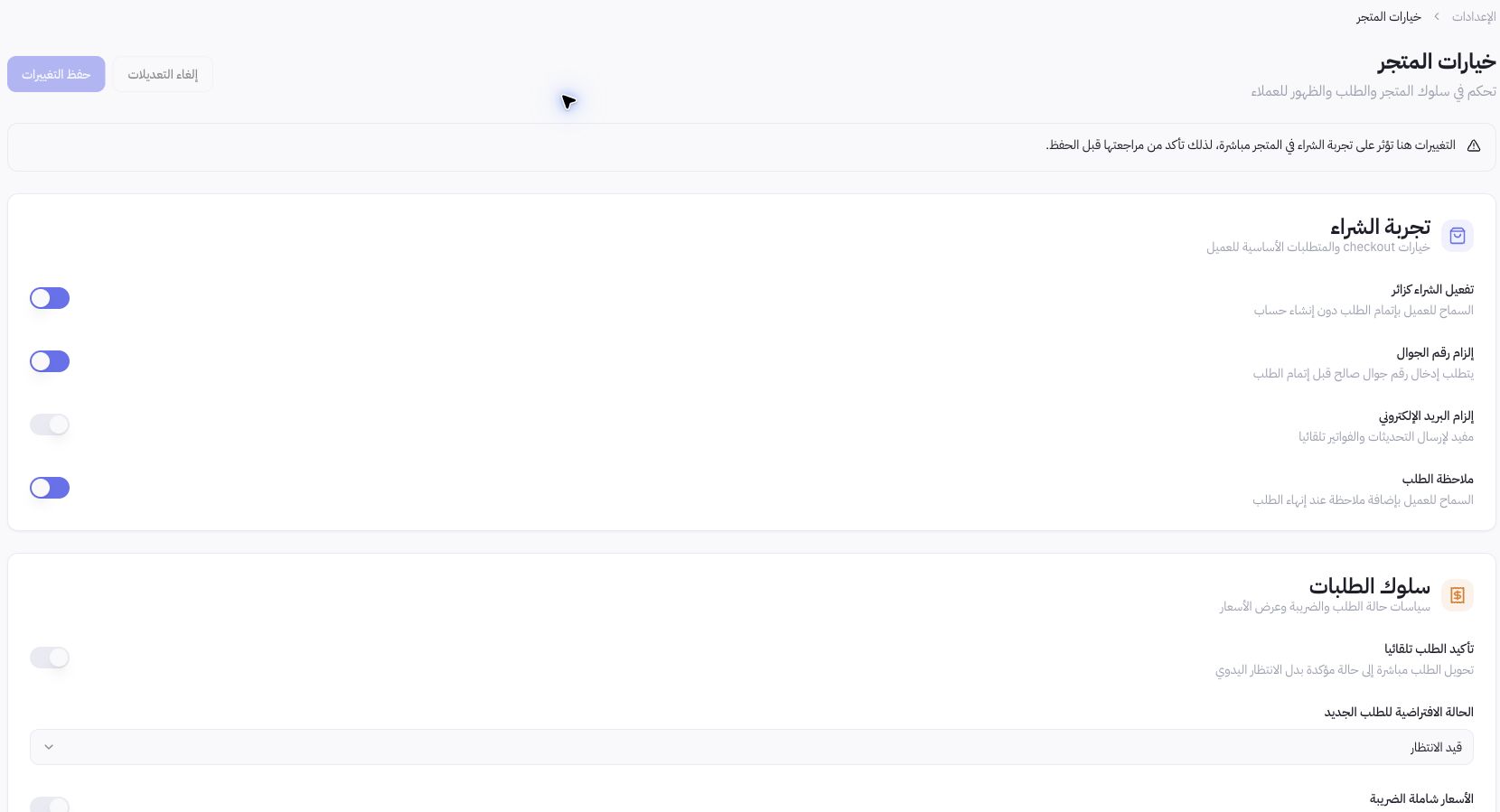
Example from Joolyoo
Guest checkout, phone number, and order notes were enabled in the capture. This reflects a specific store setup, not a mandatory rule for every merchant. Align requirements strictly with what you need for delivery and customer support.
How do I manage pricing and taxes?
The page includes tax percentage settings and tax-inclusive pricing toggles. Review your business and catalog configurations with your accounting lead before making changes to prevent double taxation. Adjusting this setting does not certify e-invoicing compliance or tax authority accreditation.
Does order confirmation mean payment is complete?
No. Order status, payment status, and fulfillment status are distinct stages. Only enable auto-confirmation once you understand its impact on your operations, and verify payment settlements and fulfillment history separately. If updates do not reflect, check save status, active store, and selected language before resaving.