
Where do I update my notification preferences?
Go to Settings, then Notifications, or click Notification Settings from the alert log. This page manages browser notifications, quiet hours, and the event-to-channel matrix. Channel availability varies by event type and plan tier.
Verification steps
- Check browser notification status and system permissions before enabling.
- Configure Quiet Hours to mute non-urgent alerts during set periods.
- Review individual event rows, such as Orders, Payments, or Technical Support.
- Select your preferred channels for each available event.
- Verify that preferences persist on the device, then validate using genuine operational events instead of test transactions.
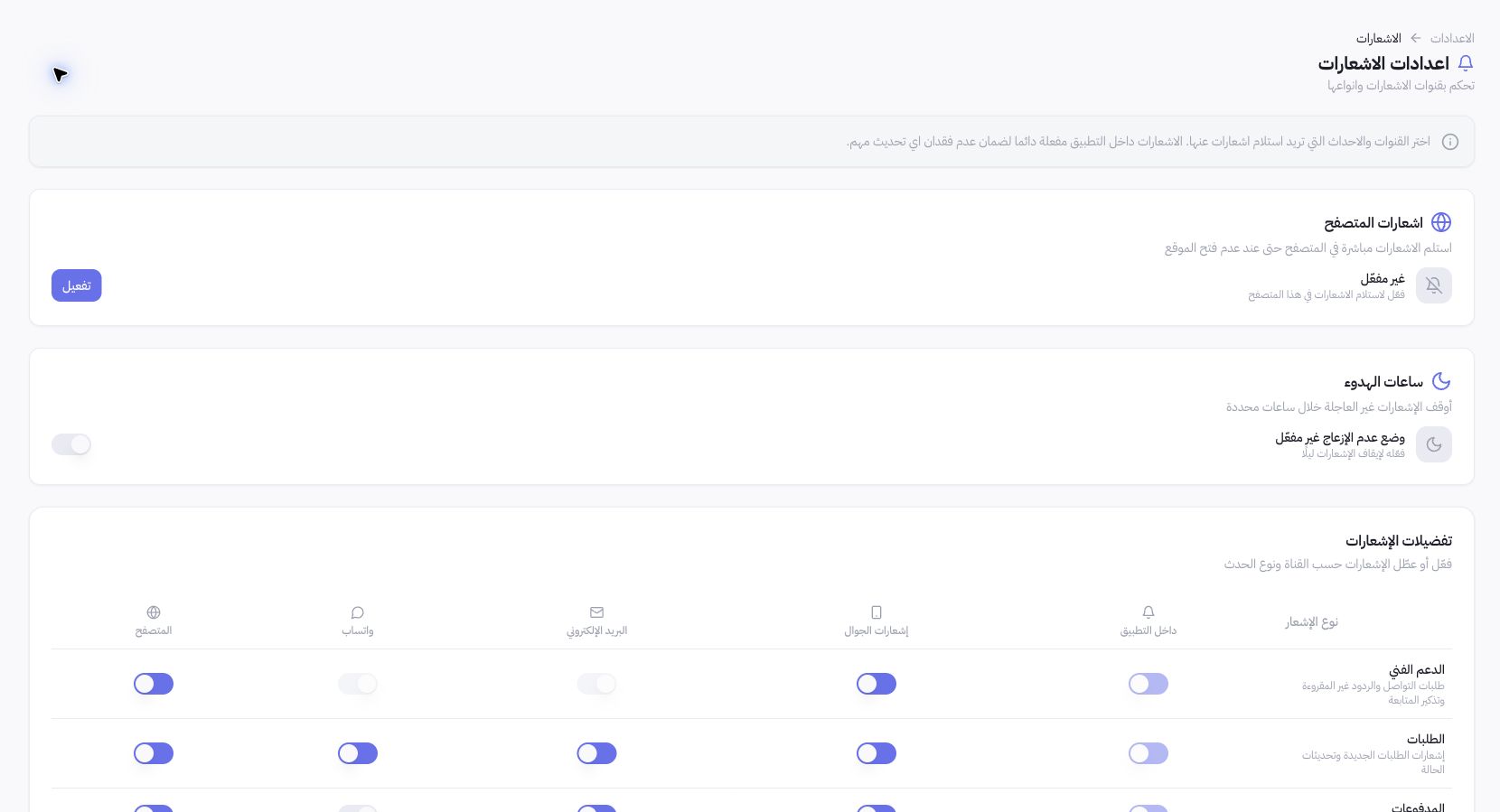
Example from Joolyoo
In-app notifications are locked ON for critical system events in the matrix, while certain technical support channels remain disabled. Do not attempt to bypass locked toggles; follow the displayed channel states and use supported delivery paths for each event.
Why did a notification fail to arrive?
Preferences may be active while browser or device permissions are blocked, quiet hours are running, or an external provider channel is unconfigured. Troubleshoot these layers separately; receiving an alert in the dashboard does not guarantee email or WhatsApp delivery.
When should I contact support?
Note the event type, timestamp, channel, device, and in-app status before reaching out. Never share active session tokens or unredacted customer data. Avoid creating duplicate live orders just to trigger a notification; inspect the event log and delivery queue first.