
What is the difference between automated flows and direct replies?
Customer Messaging handles event-driven automations, such as cart abandonment follow-ups, whereas your message inbox manages direct two-way conversations. Navigate to Marketing, select Customer Messaging, and review your automated flows, delivery outcomes, channels, and eligible audience segments.
What should I review before activating an automation?
- Define the trigger event and set an appropriate delay window.
- Verify audience eligibility and opt-in consent for the selected channel.
- Check channel connectivity and template approval status.
- Review the copy, cart links, promotional offers, and cancellation triggers.
- Open automation logs post-execution to monitor sent messages, delivery failures, and conversion impact.
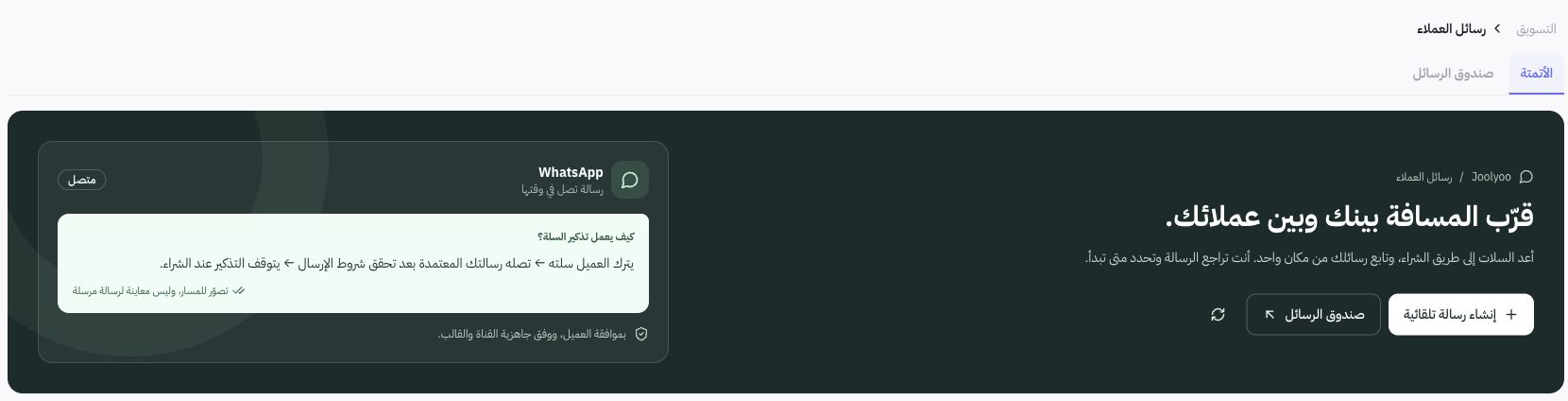
Abandoned Cart Scenario
The documented workflow triggers a cart reminder after 1 hour, subject to qualifying rules. Cart status must be revalidated prior to dispatch: a completed purchase, revoked marketing consent, or modified cart items will suppress delivery. This serves as a documented operational workflow; no messages were sent to Joolyoo customers during documentation.
How do I write an effective follow-up message?
State the purpose of the message clearly and include a direct link back to the active cart or target page. Never promise inventory availability or pricing that may change. If including a discount coupon, ensure its expiration date and terms are valid, and never send duplicate reminders after an order has been completed.
Why was a message not delivered?
Review dispatch logs, template validation, channel connection status, customer opt-in consent, and recent changes to the cart status. Successful internal queue execution does not guarantee physical delivery to the recipient device. Avoid resending messages manually before confirming the status of the initial attempt.