
What do I need before launching an ad?
Open Paid Ads and choose your target channel. You need an active ad account, approved creative assets, and a fully functional checkout destination. Connecting a social profile for organic publishing does not connect an ad billing account or guarantee ad approval by the provider.
Setup Steps
- Review your linked ad accounts under Accounts & Integrations.
- Select your target platform within the Paid Ads module.
- Verify your ad account, business page, and destination landing page.
- Define campaign objectives, target audience, creative assets, budget, and schedule within the available setup flow.
- Inspect the budget summary before confirming any launch; saving a draft does not activate the campaign.
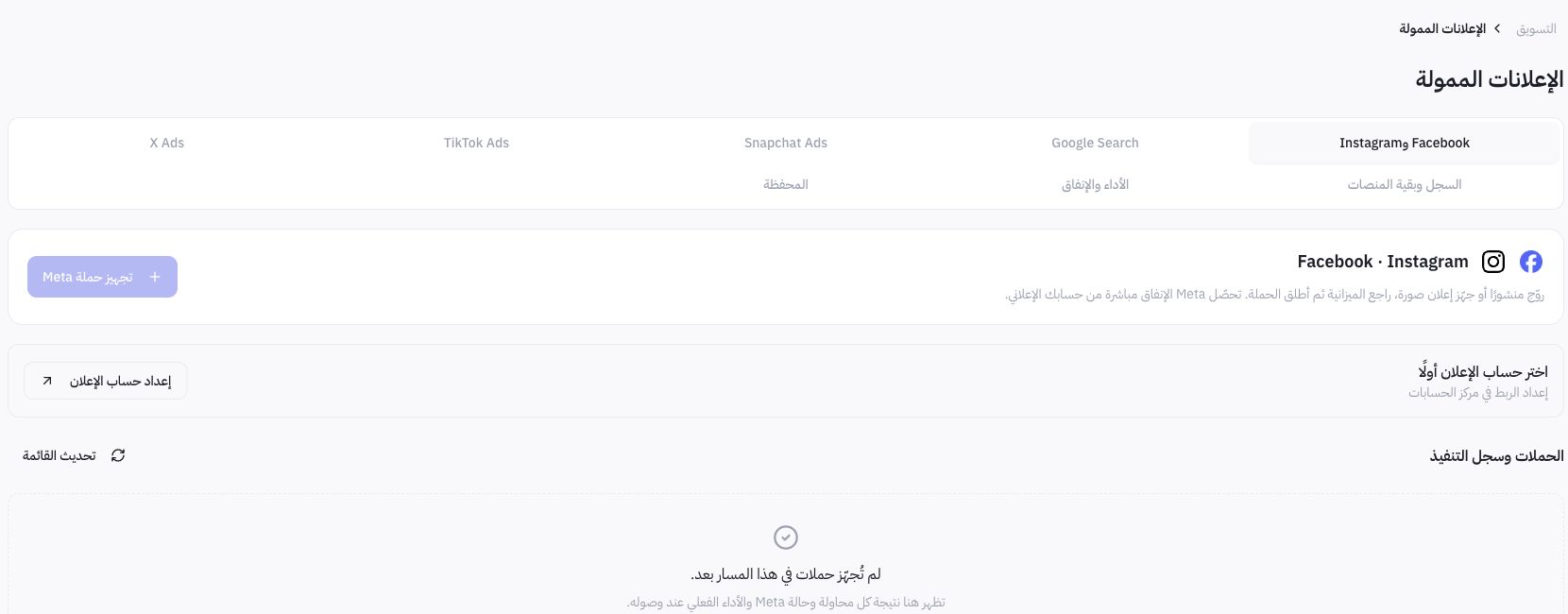
Example from Joolyoo
The Meta setup interface required completing ad account integration before campaign configuration could begin. This illustrates that a social page may be connected while operational advertising prerequisites remain incomplete. No ad account was connected, no campaign launched, and no ad spend incurred during the preparation of this guide.
Where is ad spend billed?
Check the billing entity displayed for each ad channel alongside your platform service terms. The Meta interface specifies that ad spend is charged directly through your Meta ad account. Mollkom content generation credits and third-party advertising spend are completely separate; topping up one does not fund the other.
How do I monitor performance?
Track delivery status within the provider dashboard alongside your campaign logs and attribution analytics. An approved ad or recorded click does not guarantee a completed purchase. When spend or conversion metrics are missing, record them as unavailable and verify tracking configurations before assessing campaign profitability.