
What is the difference between a campaign and a post?
A campaign groups multiple creatives under a strategic objective across a designated timeline, while a post represents a single standalone asset. Go to Marketing Campaigns > Create Campaign. Before launching, ensure your product pricing, inventory levels, and imagery are fully accurate; marketing an unprepared product results in a fractured checkout journey.
Steps to plan a campaign
- Let the system select ready products automatically or pick them manually; the interface supports selecting up to 5 products.
- Set your desired number of feed posts and story formats from available options.
- Define run duration alongside campaign start and end dates.
- Select your objective, such as Product Awareness, Conversions, or Customer Retention.
- Review campaign name, summary details, and content settings before confirming generation, or save your progress as a draft.
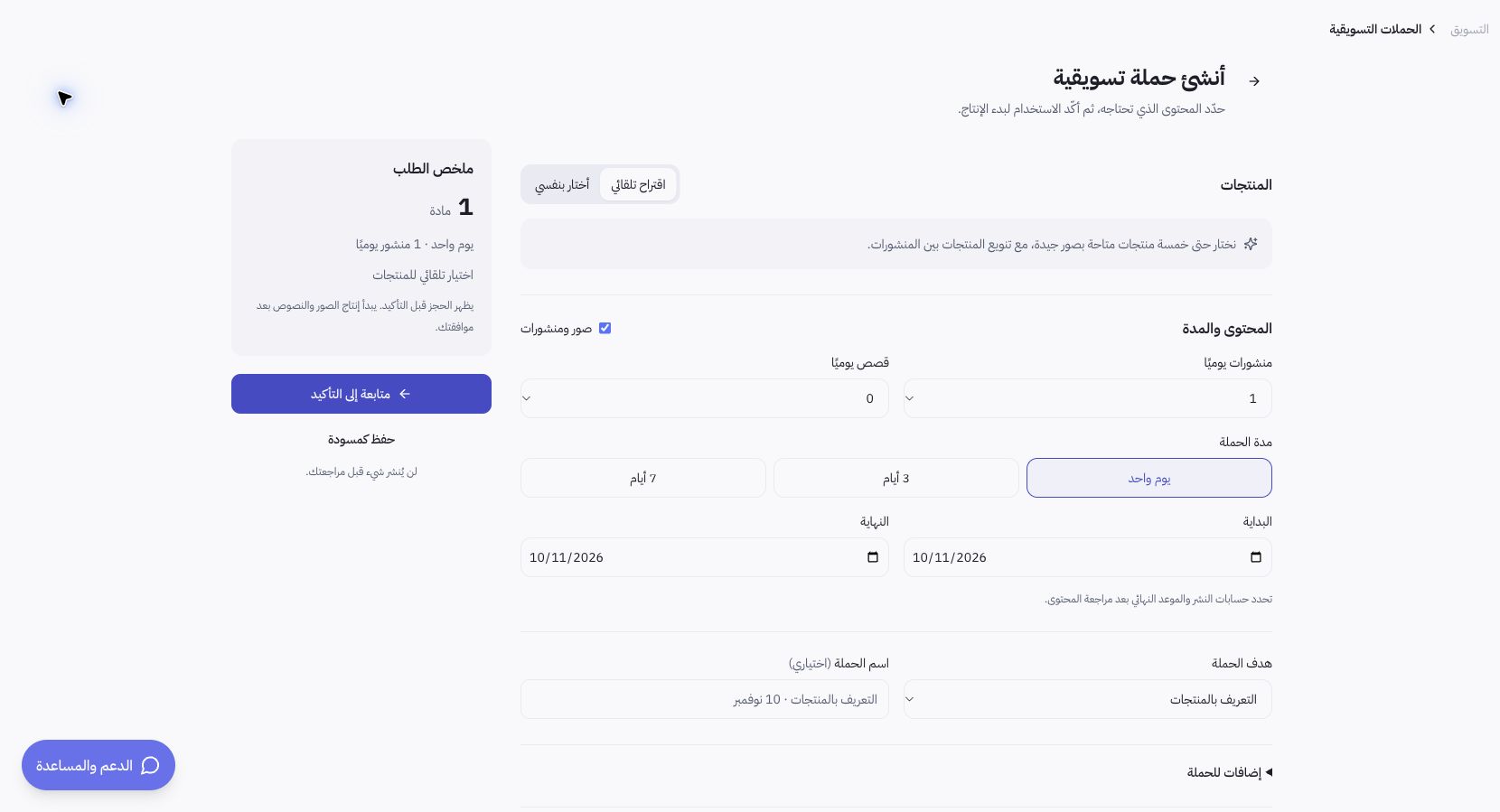
Walkthrough example using the Joolyoo catalog
You can assemble a promotional plan spotlighting an existing line of fragrances found in your catalog. Select complementary items rather than repeating the same product across every creative deliverable. This example outlines setup flow and does not imply unmeasured performance or sales results for Joolyoo.
How do I monitor campaign progress?
Use search and status filters across the campaign list. Draft, Pending Review, In Production, Active, and Completed represent distinct stages. Review individual assets inside the Content module; advancing a campaign plan to production does not mean every image is approved or posted to external channels.
What should I do if execution stalls?
Open the affected campaign to inspect system status banners, reserved quota usage, and delivered assets. Avoid creating duplicate campaigns simply because progress slows down; certain assets may already be finalized. Note the campaign reference ID when contacting support to prevent duplicated runs or unintentional credit consumption.