
Where can I find generated content?
Navigate to Marketing > Content. The library brings together assets created through structured campaigns as well as standalone creative runs, displaying statuses such as Pending Approval, Approved, Generating, or Needs Review. Rely on status badges to identify required actions instead of regenerating assets.
Steps to review an asset
- Filter by campaign, platform, or content type to narrow down the list.
- Open the intended creative and inspect the image or video alongside the copy.
- Cross-check the product name, size, and price against your catalog.
- Review the copy language, asset dimensions, logo clarity, and any promotional claims.
- Approve the creative only after a thorough review, then proceed to the appropriate scheduling workflow.
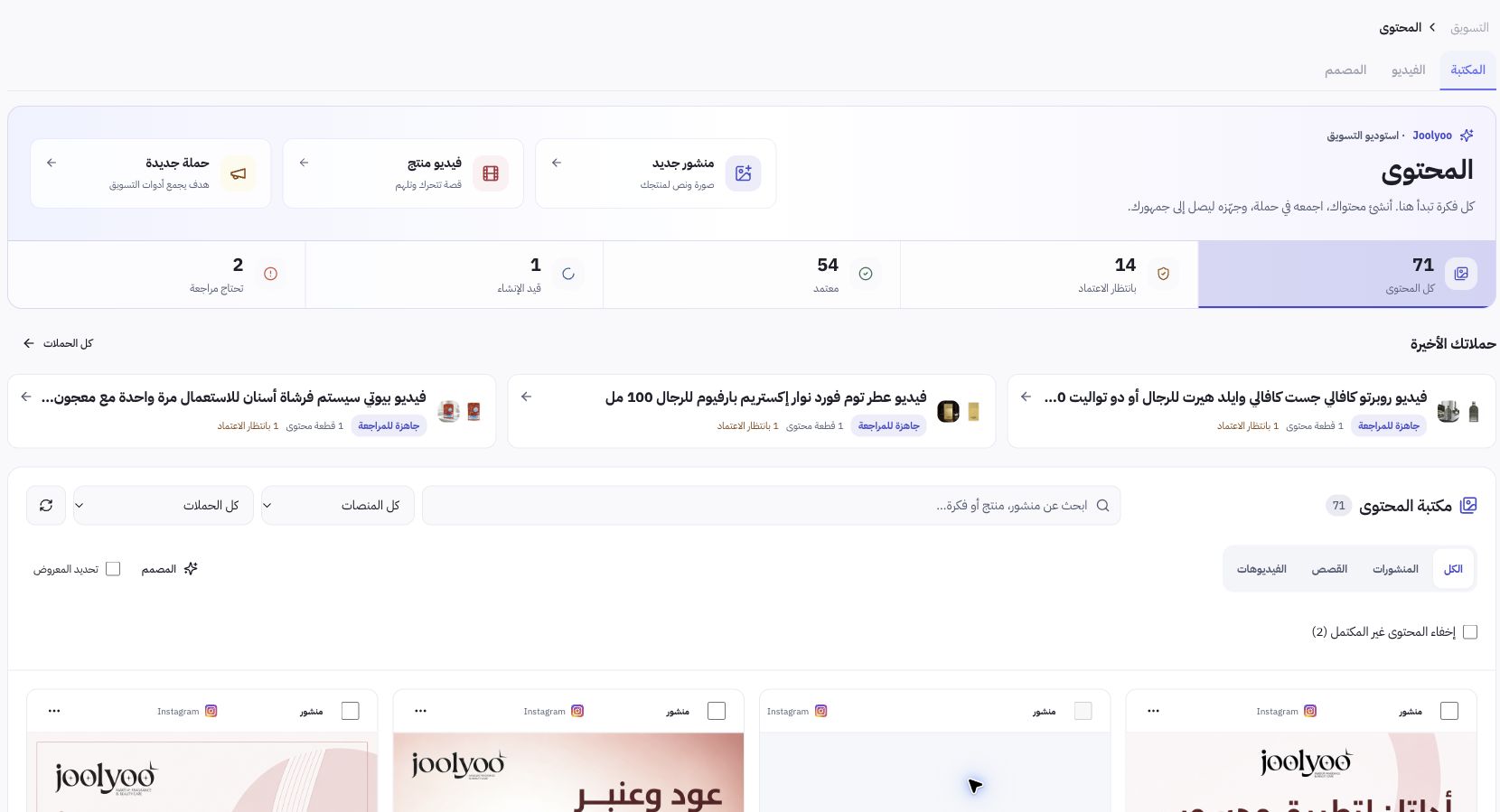
Example from Joolyoo
The library displays product photography and creative assets across multiple statuses. An eye-catching image is not enough: if a perfume bottle design changes or inaccurate copy appears, the asset requires revision before publishing. Never approve a discount creative unless the corresponding promotion and its terms are active in your store.
What should I look for when reviewing a video?
Watch the video in full. Check product visibility, on-screen text legibility, audio quality, and scene pacing. Thumbnail previews will not reveal clipped captions or ending frames. Ensure the aspect ratio fits your target channel and that graphics never distort or obscure essential product details.
Does approving a creative publish it immediately?
Approval simply prepares the content for the next step; publishing involves its own designated channel account, scheduled time, and delivery status. Check your calendar and publishing logs once scheduled. If an asset fails, inspect the error details and the saved output before requesting a regeneration.