
What types of notifications are displayed?
Access notifications via the bell icon or the dashboard menu. The feed includes alerts for orders, payments, delivery, shipping, subscriptions, inventory, marketing, and system events. A notification summarizes an event; it is not a substitute for the official transaction log.
How do I locate a specific notification?
- Toggle between All Messages and Unread Only.
- Filter by category, such as Inventory or Shipping.
- Search using part of the description or reference ID.
- Select the notification to open the associated transaction.
- Use Mark as Read or Archive as needed without clearing information required for follow-up.
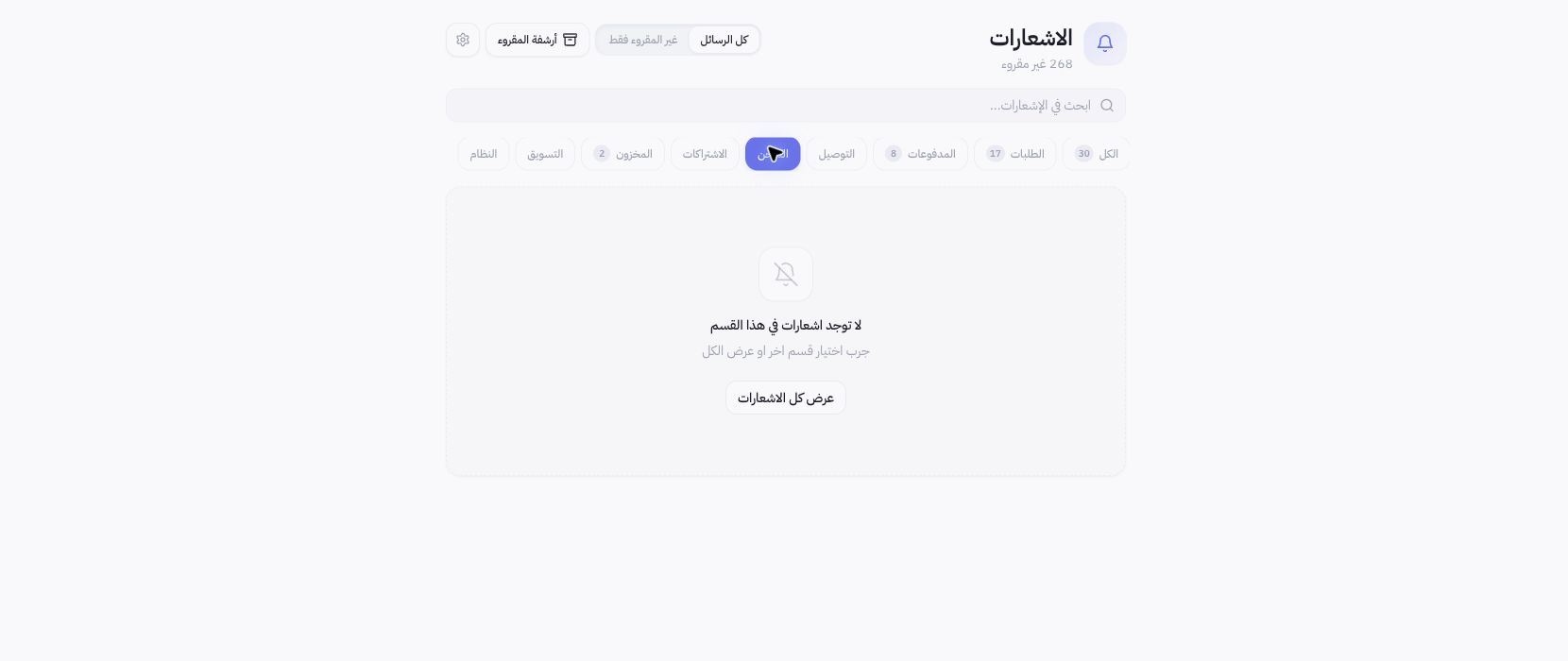
Example from Joolyoo
The Shipping category was selected prior to capturing the screenshot, showing an empty view. This does not mean all categories are empty or that no orders exist; the active filter simply has no matching records. Switch back to All to search across other types.
Does an in-app notification confirm mobile delivery?
The presence of an alert inside the dashboard does not confirm delivery via push notification, email, or WhatsApp. Channel configurations and device permissions operate independently. Use Notification Settings to audit your delivery preferences instead of placing test orders.
How do I handle a financial alert?
Open the referenced transaction to inspect its current status; an alert may reflect an earlier event rather than the latest update. Never initiate duplicate charges or refunds based solely on notification text. Share the transaction reference ID with support if needed, keeping customer data and amounts private.