
What does the history log store?
From Store Manager, open Design History. This view lists the last 20 evaluations for this store along with their available outputs. It lets you resume work if you navigated away mid-task or re-evaluate prior outputs without generating them again.
How do I review a previous task?
- Confirm the store name at the top of the log.
- Refresh the log to ensure you see the latest status.
- Open the target design result.
- Review the stages: Product Understanding, Taxonomy, Layout Design, Implementation, and Publishing.
- Inspect banners, category visuals, and run notes before taking any further action.
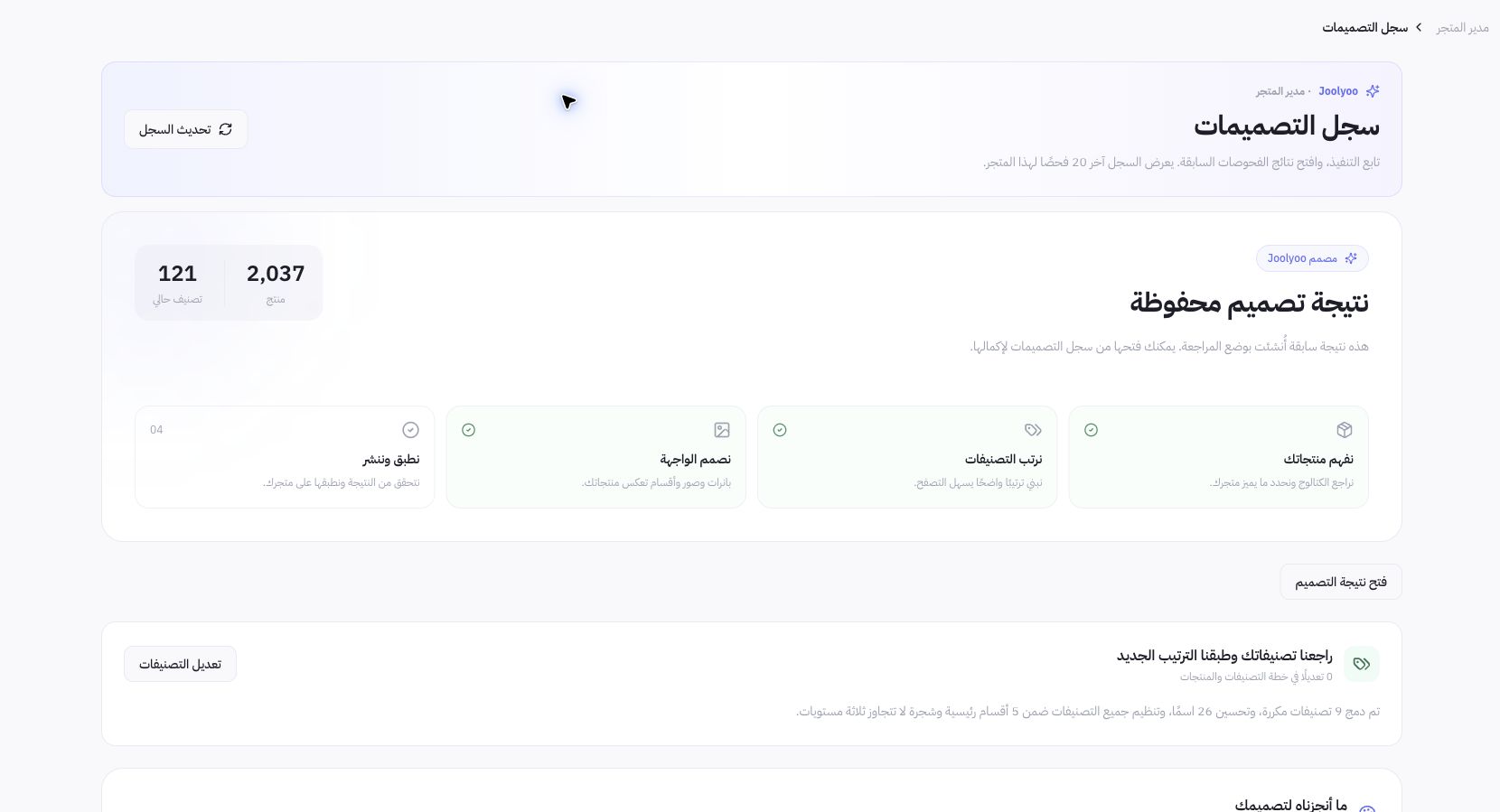
Example from Joolyoo
A saved run created in Review Mode is visible, showing completed generation stages alongside a separate step for implementation and publishing. Completing image assets is not equivalent to publishing a live storefront update. Always read the result state rather than inferring from banner counts.
When should I return to the editor?
Once a design is ready for review, open its available preview and inspect sections, links, and imagery. Return to the editor whenever you need to adjust saved layouts. The designer task log and theme version history serve two different purposes: the first details generation runs, while the second manages storefront releases.
How do I avoid duplicate runs?
Never start a new run simply because an earlier browser tab closed. Open the active task to verify its latest status and any logged errors. If an outcome remains unclear, note its reference ID and request support before running duplicate asset generations or publishing conflicting drafts.