
What does the balance dashboard display?
Open AI Credits or Usage Credits under Finance. It details available balance, temporarily reserved units, and confirmed consumption. A hold reserves units for in-progress tasks; not every reserved amount represents a finalized deduction.
How do I review a credit transaction?
- Open Credit Activity and locate the transaction along with its timestamp.
- Review the Orders tab to check the status of the associated task.
- Inspect the saved outputs once completed.
- Review credit sources to distinguish between purchased units and plan allocations.
- If a top-up is needed, check the offer, price, and currency in your account before proceeding to payment.
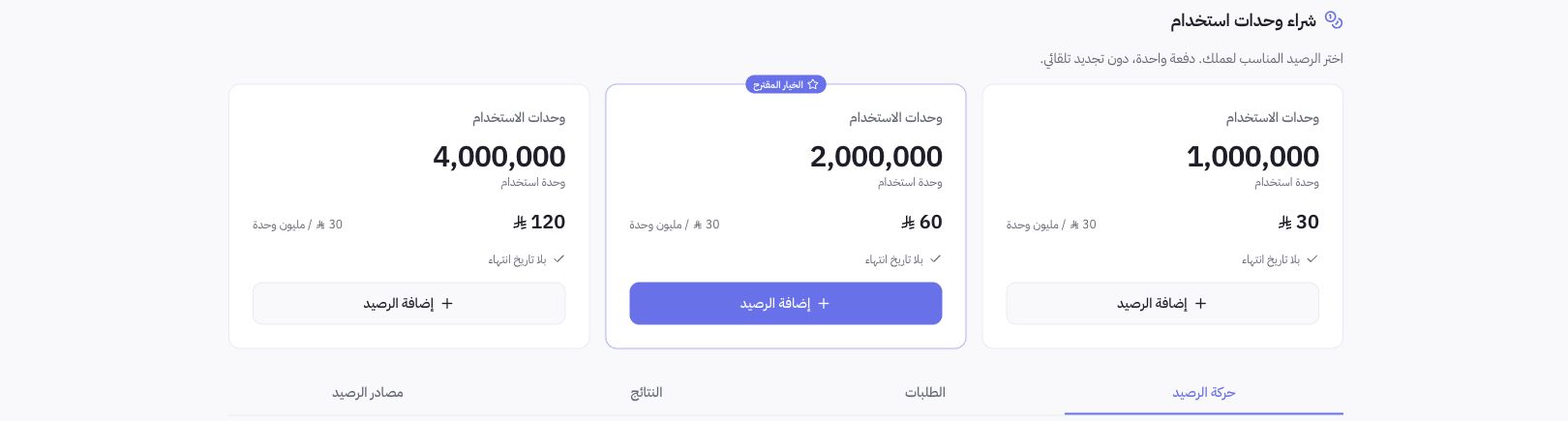
Dashboard Example
The page displays available balance, active holds, and current month consumption in UTC. Consequently, your day cutoff may differ from a report calculated in Riyadh time. The screenshot illustrates top-up options only; it does not disclose Joolyoo's private balance or log a purchase.
How do plan allocations differ from top-up credits?
Your subscription provides features and allocations tied to your active plan, whereas purchased units operate as an independent balance. Review the validity period for each source in your account; do not assume that upgrading a plan restores previous usage or that adding a store grants new welcome credits.
What should I do if a deduction is unclear?
Retain the transaction and task references, and do not repeat the operation simply to verify. If a purchased credit balance does not appear or a charge looks duplicated, request a ledger reconciliation rather than purchasing extra units to bypass the issue. Standard platform support never consumes your content generation credits.